

Cart
0
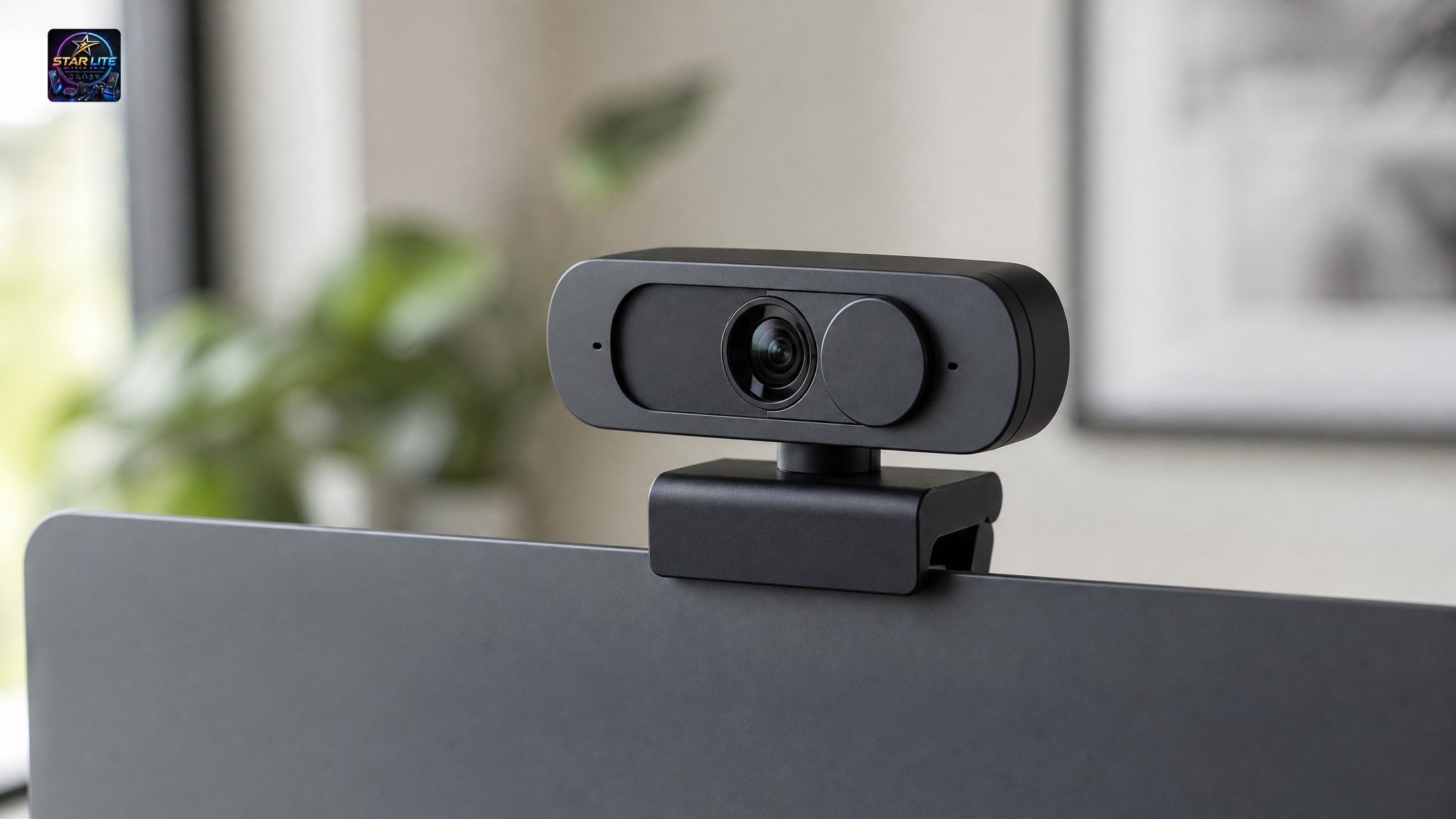
Finding a webcam with a privacy cover and autofocus that actually delivers on both promises is harder than it should be. Most budget models force you to choose between sharp video and physical security, so remote workers end up taping over lenses or living with blurry frames during presentations. This guide compares current stock to find which units genuinely combine both features.
Why Combine a Webcam Privacy Shutter With Autofocus
Remote work in 2026 asks a lot of your camera. It has to secure itself when you're not on a call, and still look sharp the second you are. That's what a secure webcam for laptop use should do: block unauthorized access without costing you visual clarity on client-facing calls.
A physical shutter gives you deterministic security. Close it, and the lens is blocked, full stop. Software toggles can't promise that, because they depend on operating system integrity and driver stability, and both can fail during updates or malware attacks. A mechanical shutter skips all of that by putting an opaque barrier between the sensor and the outside world, regardless of what your computer is doing.
Autofocus solves a different problem. When you lean forward to show a document, or sit back to gesture while explaining something, the lens adjusts focal distance to keep your face sharp. Fixed-focus cameras lock at one distance, so any move away from that distance produces soft, blurred video.
Put the two together and you've closed two separate gaps at once. Without the hardware shutter, you're stuck managing external caps or adhesive covers that get lost or misaligned. Without autofocus, you're stuck holding still or accepting inconsistent image quality through the meeting.
Top 1080p Webcam Privacy Cover Options for Daily Use
The 1080P Autofocus Webcam With Microphone And Privacy Cover pairs a hardware shutter with dynamic focus at a price that doesn't punish you for wanting both. It runs around USD 27.68–30.66, and it's built for people who want verified privacy protection without giving up the responsiveness modern video calls expect.
This model shoots Full HD 1920×1080 at a smooth 30FPS, still the baseline for professional remote communication in 2026. The autofocus tracks your distance continuously, so you stay sharp whether you're presenting something up close or talking from a normal desk distance. The included cover slides mechanically over the lens, and you can see at a glance whether it's open or closed.
The built-in microphone means you don't need a separate audio peripheral for a standard home office setup. A dedicated USB microphone will always sound better for streaming or recording, but the integrated mic handles voice calls fine for daily meetings, where convenience matters more than audiophile-grade capture. One less cable, one less thing to set up.
Not every autofocus webcam bundles a microphone with the shutter. This one does, both alongside the privacy cover, which is why it's the pick for anyone whose search comes down to one device that covers security, focus, and audio without a second purchase.
Autofocus Webcam With Mic Alternatives Without Shutters
Some buyers care more about optical performance or size than about integrated privacy hardware. The Mini Autofocus USB Webcam focuses as close as 20mm, which is proof that a compact body doesn't have to mean soft detail on document shares. It comes in 720P or 1080P and runs around USD 14.76–17.46, which suits laptop users who want portability and near-field clarity above everything else.
This unit skips the built-in privacy shutter, so you'll need your own physical blocking solution if hardware security matters to you. The trade-off is real: you gain close-focus performance and a smaller footprint, but you lose the convenience of a shutter that's already there. If you already use an external webcam cover, or you work somewhere software privacy is enough, that trade might be fine.
The 1080P Autofocus HD USB Webcam sits in the middle: similar close-focus specs, a larger body, and no privacy cover either, while matching the 1920×1080 resolution and 30FPS frame rate of the higher-tier models. If you go this route, know that good autofocus doesn't make up for a missing shutter.
Budget and mid-range autofocus mechanisms mostly differ in speed and minimum focus distance, not resolution. Both categories look fine on a video call. Compact models like the Mini variant are built for near-field work, showing documents or prototypes, more than for background blur or low light.
Upgrading to 2K Resolution and Streaming-Ready Gear
A higher-resolution sensor is worth something when your bandwidth and display can actually use it. The 2K HD Conference Webcam gives you more pixel density for meeting presence on a large monitor or a high-DPI display. It runs around USD 27.16, so it costs about the same as many 1080P alternatives while showing more detail.
This model's listing doesn't mention an integrated privacy shutter, though. If you need both 2K clarity and hardware privacy, check the cover is actually included before you buy, or plan to add one yourself. A sharper picture doesn't satisfy the privacy half of this comparison on its own, however good the price-to-performance looks.
The 1080P USB Live Streaming Webcam With Tripod takes a different angle: instead of a shutter, it bundles a tripod for flexible positioning during streams or long sessions where a monitor clip won't hold steady. It runs around USD 38.54. Like the 2K option, its listing doesn't document a shutter, so you're weighing streaming readiness against security needs here too.
Both of these excel at something specific, resolution or accessory bundling, but neither confirms the privacy cover that anchors this whole comparison. If your workflow needs advanced imaging and guaranteed hardware blocking in the same device, the 1080P Autofocus Webcam With Microphone And Privacy Cover is still the only stocked model that gives you both.
Secure Webcam for Laptop Versus Desktop Setups
Form factor decides usability more than any spec sheet does. The Mini Autofocus USB Webcam clips directly onto a thin laptop bezel without scratching it, which makes it a good fit for anyone who carries their video setup between locations. It barely adds weight to a travel bag and keeps full autofocus.
Larger models like the 934H 1080P HD Computer Webcam fit a fixed desk station better, where portability matters less than build quality and cable management. It runs around USD 116.40, the premium end of this lineup, with a sleek black design meant to stay put. Neither this model nor the 2K variant mentioned above specifies integrated privacy hardware. So laptop users who want security should default to clip-on designs with a confirmed shutter.
Desktop users have more room to mix and match, since they aren't limited by travel weight or bezel thickness. You could pair a non-shutter autofocus camera with a standalone privacy cap, or keep a secure laptop webcam separate from a higher-spec desk unit. That modular approach works when your budget allows specializing instead of consolidating into one device.
Clip-on designs suit laptop users because the mount is built in and the desk footprint stays small. Standalone units suit permanent setups where you rarely reposition the camera. Pick based on where the camera actually lives, not on a spec you won't use.
Choosing the Right Webcam Privacy Shutter Mechanism
Hardware privacy isn't implemented the same way across products, and the differences matter. An integrated sliding cover stays attached to the camera body and gives you instant visual feedback: closed means blocked, open means exposed, no guesswork either way.
Removable caps give you the same security but carry a real risk of getting lost. A small plastic piece disappears into desk clutter or a travel bag right when you need it, and then you're back to taping paper over the lens. They're fine if you rarely use the camera, but they get old fast if you're switching between private and active several times a day.
Software privacy controls toggle access through OS permissions or an app setting. Those depend entirely on correct configuration and on nothing malicious overriding them. A physical barrier doesn't have that problem, because it works independently of any software layer, regardless of what's running on your machine.
When you're reading a listing, look for the words "privacy cover," "shutter," or "lens block," not a vague line about "security features." Some marketing blurs a software toggle into sounding like hardware protection, so trust only the descriptions that name a physical part. If the spec sheet doesn't name one, assume there isn't one.
Key Specs to Verify Before Buying
Resolution and frame rate set the baseline for compatibility with today's conferencing platforms. In 2026, 1080P at 30FPS is the minimum worth buying for professional calls, and 2K is worth the extra detail only if your bandwidth can carry it. Lower resolutions are fine for an internal check-in, but they hurt your credibility on a client call.
Microphone type decides whether you'll need extra audio gear. A built-in mic is fine for standard voice calls; a stereo array or noise-canceling capsule helps if you're in a shared space. Check the listing for the actual microphone spec instead of assuming one is there, since some autofocus models ship without a mic at all.
Connectivity affects how easily the camera just works. USB dominates this category, and most models need no driver install on Windows, Mac, or Linux. Still, check the compatibility claim against your actual OS version, especially on an enterprise-managed machine with restricted peripheral policies.
Most of all, confirm the privacy cover is actually listed, not just implied by a product photo. Not every autofocus webcam ships with a built-in shutter, whatever the marketing image suggests. Read the feature list closely, and contact support if the listing leaves it unclear.
You can browse all tech accessories to compare more options or round out your setup with lighting, a mount, or audio gear.

