

Cart
0
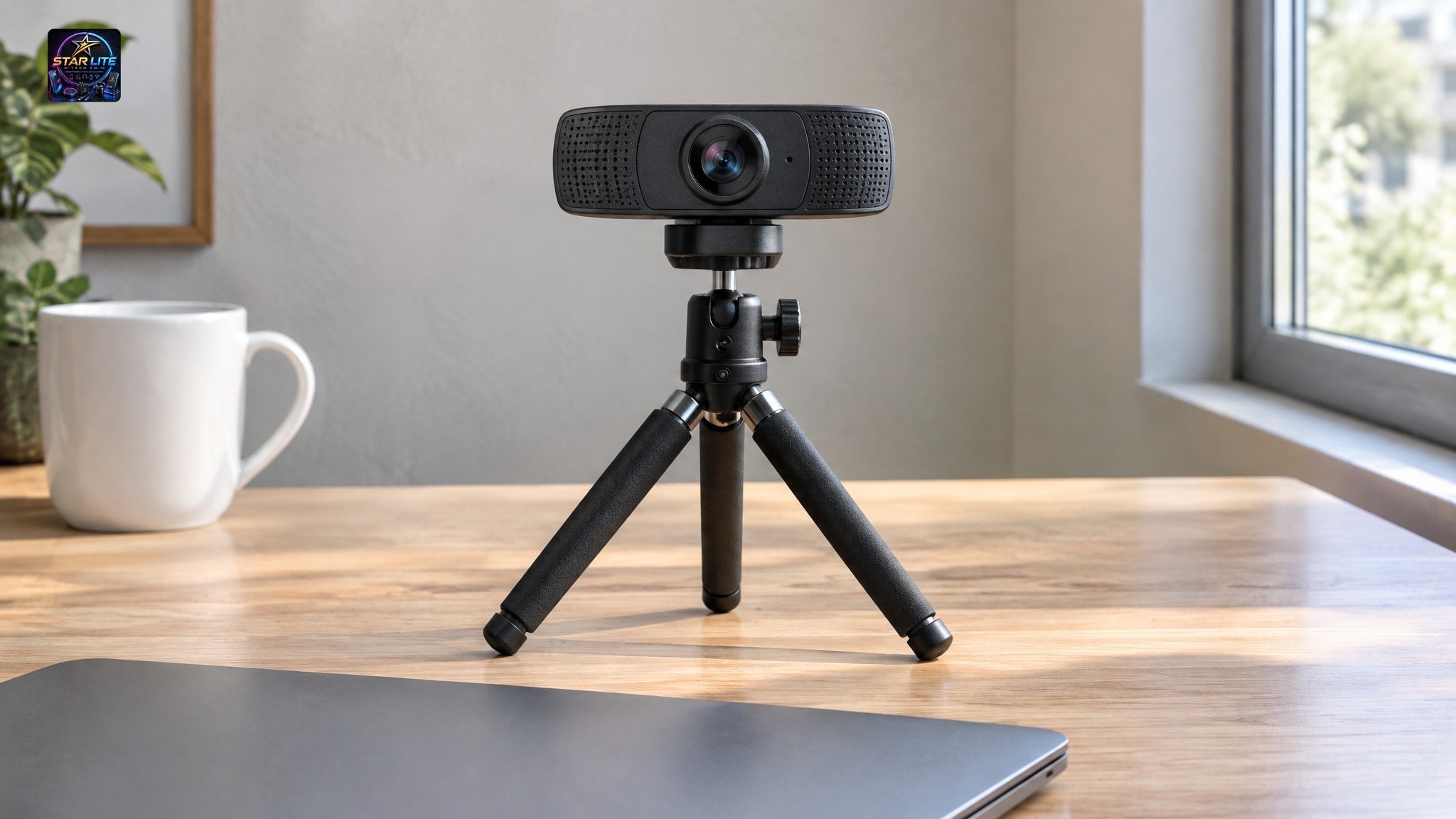
Most streamers start the same way: buy a webcam, then discover it needs somewhere stable to sit. The laptop lid works for a week. Then the angle looks up your nose and the picture wobbles every time you type.
Key takeaways
- The 1080P USB Live Streaming Webcam With Microphone And Tripod is the only one of the six that includes a tripod, at around $44.59.
- Only the 1080P Autofocus USB Webcam and the Mini Autofocus USB Webcam list autofocus.
- All six webcams have a built-in microphone, which is enough to start streaming without a separate mic.
- The 934H costs around $122.49, about four times the autofocus 1080P model, though both list 1080P and a built-in mic.
- The Mini webcam is the cheapest at around $14.76–$17.46 and clips onto a monitor, so it needs no tripod.
This guide covers a webcam with tripod for live streaming, plus five USB webcams that suit a desk or monitor. Only one of the six ships with a tripod in the box. We say so up front, and we show how to handle the other five.
Why a Webcam and Tripod Bundle Makes Sense for Streamers
A webcam tripod bundle puts everything in one box, so you buy once and skip the hunt for a compatible stand. You unpack it, set the camera at eye level and go live.
Eye level matters more than most people expect. A camera on a stable base at face height gives a steadier, more flattering stream than a laptop-lid angle, and it stays put when you bump the desk.
Here is the catch: a bundle only saves you effort if the camera itself is good enough. That is why this guide leads with the one true kit in the range and then covers the webcams you can pair with a tripod yourself, all at accessible prices.
Top Pick: 1080P USB Live Streaming Webcam With Microphone And Tripod
The 1080P USB Live Streaming Webcam With Microphone And Tripod is the only webcam in this guide that comes with a tripod. It costs around $44.59, and the product page describes it as ready out of the box: place the webcam on the included tripod, plug in the USB cable and go live in 1080P with the built-in microphone.

That is the whole setup. There is no driver hunt in the description and no separate stand to order.
What Comes in the Box
The kit is built around three things that matter for a first stream:
- A 1080P HD webcam for clear streams and calls
- An included tripod, so the camera has a base from day one
- A USB cable for plug-in setup
The built-in microphone is part of the camera itself. The listing says you don't need a separate mic to get started, which keeps your desk simpler and your first stream quick to arrange.
It is offered in one option, listed as Qlh880133 1080p, so there is nothing to compare before you buy.
Who This Webcam With Tripod for Live Streaming Suits Best
This kit suits you if you are setting up your first streaming corner and want one purchase to cover the camera, the stand and the audio. It also works for people who spend more time in meetings than on stage, because the same plug-in setup serves both.
It is not the pick if you need the sharpest image on the list or a camera that adjusts focus for you. The listing mentions 1080P video, a built-in mic and a tripod, and it does not list autofocus. If you move around a lot on camera, look at the autofocus models below.
1080p Streaming Webcams With Mic for Desk Setups
Two webcams in this range sit between the bundle and the budget models. Both are 1080p streaming webcams with a mic built in, and neither includes a tripod. If you already own a desktop tripod, or plan to buy one, either works well on it.
1080P Autofocus USB Webcam with Microphone
The 1080P Autofocus USB Webcam with Microphone lists a resolution of 1920 × 1080 at 30 frames per second. Autofocus adjusts the image as you change position, so leaning toward the screen or holding up a product doesn't leave you soft.

The built-in microphone keeps video and voice in one device. It costs around $30.89 to $32.89 and comes in black.
For most streamers who already have a stand, this is the sensible middle of the range.
934H 1080P USB Webcam with Microphone
The 934H 1080P USB webcam lists 1080P video, a built-in microphone and a USB 2.0 interface, in a black desktop design. The listing does not mention autofocus.

Its price is around $122.49, roughly four times the autofocus model above. On paper the two share the same headline resolution and the same built-in mic. So you are paying for the 934H's own design and build, not for extra listed features, and you should weigh that before choosing it.
If you want the best value on a 1080p streaming webcam with a mic, the autofocus model comes out ahead. The 934H makes sense only if its look or its specific model appeals to you.
Compact and Budget USB Webcams for Streaming
If you are streaming casually or just starting out, you don't need to spend much. These two cost well under $25 each, so they suit anyone testing whether streaming sticks.
Mini Autofocus USB Webcam With Noise-Reducing Microphone
The Mini Autofocus USB Webcam with noise-reducing mic clips onto a monitor without scratching it, or sits steady on your desk. That gives you stable placement without buying a full tripod.
You choose 720P or 1080P at a smooth 30FPS. Autofocus and automatic white balance keep the image sharp and true to color, and the noise-reducing microphone helps you come through clearly on calls. It costs around $14.76 to $17.46, the lowest price in this guide.
HD USB Webcam With Built-In Microphone
The HD USB Webcam With Built-In Microphone is plug-and-play. It uses a CMOS sensor and has a built-in microphone, so you don't need a headset for a quick call.

It comes in several option variants, including 720P and 480P versions, so check which one you select before ordering. Prices run from around $16.60 to $23.70, depending on the variant.
This one is best for casual calls, team meetings, online classes and light streaming. It is not the right choice if picture sharpness is the point of your channel.
2K USB Conference Webcam for Sharper Framing
The 2K USB Conference Webcam is listed at 2K HD, the highest resolution in this guide. It has a built-in microphone and a USB 2.0 interface, and costs around $33.29.
The 1.5-meter cable gives you room to position it within reach of your computer. That helps if your PC sits under the desk or off to one side.
Choose it if you want more resolution without a big jump in price. The listing doesn't mention autofocus or a tripod, so you will want a stand or a spot on top of your monitor.
Building a Live Streaming Camera Setup Around Your Webcam
A good camera is half of a live streaming camera setup. The other half is where it sits, how it is lit and whether the cable reaches without strain.
Start with height. Put the lens at eye level, roughly in line with your face when you sit upright, and keep it still.
Adding a Desktop Tripod to Any USB Webcam
If your webcam has no tripod in the box, you have three options. Clip it to your monitor, as the Mini model is designed to do. Set it on a stand. Or put it on a separate desktop tripod, which gives you the most control over height and angle.
For that last route, read how to choose a desktop tripod for a webcam before you buy, and check the webcam's product page for how it mounts.
A tripod fixes the stability problem. It will not fix a weak image, so pick the camera first.
Lighting and Desk Layout
Add a ring light for even light on your face. A webcam can only work with the light it is given, and a soft light in front of you helps more than a higher resolution does.
Keep the USB cable within reach of your computer, and leave some slack so a tug doesn't pull the camera over. The 2K model's 1.5-meter cable is useful here.
Once the camera, light and cable are sorted, you can build out the rest of the desk. The budget streaming desk setup under $150 guide shows how to do that without overspending.
Every webcam here has a built-in microphone, so none of them needs a separate mic to get you started. For streams where you mostly talk to chat, that is enough. If audio is the main draw of your channel, such as music or podcasting, a dedicated microphone is a worthwhile later upgrade.
How to Choose: Resolution, Autofocus, Mic and Price Compared
Start with your budget, then decide whether you need autofocus or the tripod. All six have a built-in mic, so that is rarely the deciding factor.
Two webcams list autofocus: the 1080P Autofocus USB Webcam and the Mini. For resolution, four are listed at 1080P or offer a 1080P option, one is listed at 2K, and one is a plain HD model with several variants.
Quick Comparison of All Six Webcams
| Webcam | Resolution | Autofocus | Built-in mic | Tripod included | Approx. price |
|---|---|---|---|---|---|
| 1080P USB Live Streaming Webcam With Microphone And Tripod | 1080P | Not listed | Yes | Yes | Around $44.59 |
| 1080P Autofocus USB Webcam with Microphone | 1920 × 1080 at 30 fps | Yes | Yes | No | Around $30.89–$32.89 |
| 934H 1080P USB Webcam with Microphone | 1080P | Not listed | Yes | No | Around $122.49 |
| Mini Autofocus USB Webcam With Noise-Reducing Microphone | 720P or 1080P at 30FPS | Yes | Yes (noise-reducing) | No (clip-on or desk) | Around $14.76–$17.46 |
| HD USB Webcam With Built-In Microphone | HD (720P and 480P variants) | Not listed | Yes | No | Around $16.60–$23.70 |
| 2K USB Conference Webcam with Microphone | 2K HD | Not listed | Yes | No | Around $33.29 |
Prices are approximate and can change, so confirm them on each product page.
Want the camera and stand in one box? Take the kit. Want autofocus on a tight budget? Pick the Mini. Want a sharper image? The 2K model is the one to check.
When you are ready to compare them side by side, you can browse the full webcams collection at your own pace.
Frequently asked questions
Do I need a separate microphone for live streaming with these webcams?
Not to get started. Every webcam in this guide has a built-in microphone, which covers chatty streams and calls. If audio is the main draw of your channel, such as music or podcasting, a dedicated microphone is a worthwhile upgrade later.
Which webcam comes with a tripod?
The 1080P USB Live Streaming Webcam With Microphone And Tripod. You place the webcam on the included tripod, plug in the USB cable and go live in 1080P. It costs around $44.59, and the other five webcams in this guide do not include a tripod.
How do I mount a webcam that has no tripod?
You can clip it to your monitor, rest it on a stand or put it on a separate desktop tripod. The Mini Autofocus USB Webcam is designed to clip onto a monitor or sit on a desk. For other models, check the product page for how the camera mounts before buying a tripod.
What is the cheapest webcam for streaming here?
The Mini Autofocus USB Webcam With Noise-Reducing Microphone, at around $14.76 to $17.46. It offers a 720P or 1080P choice at 30FPS with autofocus. The HD USB Webcam With Built-In Microphone is next, at around $16.60 to $23.70.
Which webcam has the highest resolution?
The 2K USB Conference Webcam with Microphone is listed at 2K HD, at around $33.29. It has a built-in microphone and a 1.5-meter cable. Its listing doesn't mention autofocus, so check the product page for details.
